From plain-English brief to a governed AI agent in your business.
No drag-and-drop diagrams. No three-month integration project. Open a Workspace, describe the work, and Pryme Intelligence handles the rest — building, training on your data, deploying to the surfaces your team already uses, and recording every action under your governance rules.
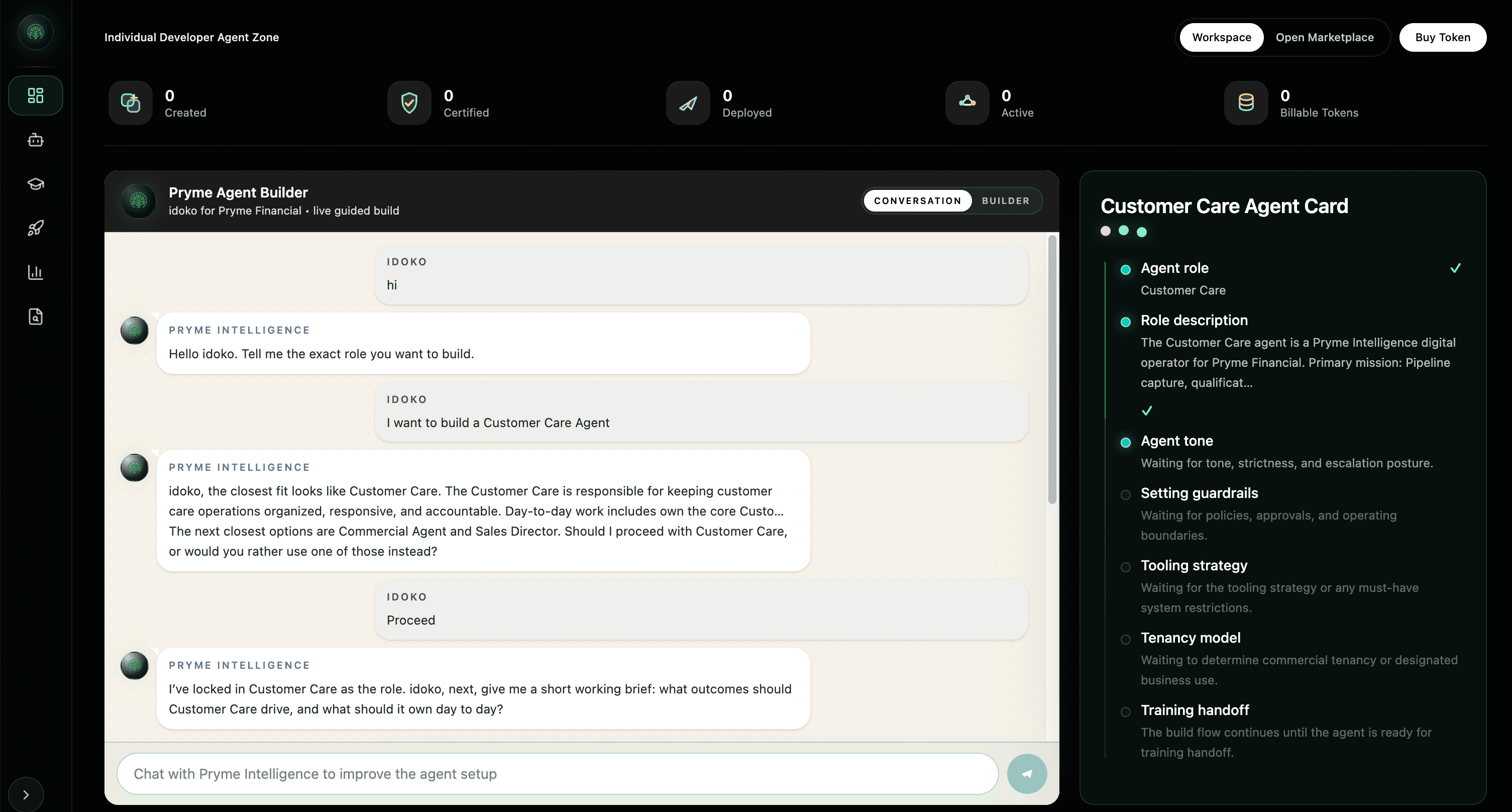
Build → Train → Deploy → Govern. In one place. Out of the box.
Set up your Workspace
Stand up the tenant boundary, business context, and governance rails in one Workspace.
Tenant-isolated access, scoped controls, and one governed starting point.
Build or activate an agent
Start from the catalog or describe a custom role in chat to generate the first working agent shape.
Tools, prompt, memory, and approval defaults are ready from the start.
Train on your business
Connect the systems, documents, and operating context the agent needs to do real work.
The agent learns your products, workflows, customers, and decision context.
Deploy with governance
Launch across the right channels with permissions, approvals, and audit built into execution.
Production rollout and audit readiness land together, not as separate projects.
Turn a plain-English brief into a working specialist agent.
Review release paths, channels, and live operating flow.
See how approvals, HITL review, and audit apply before action.
Understand isolation, identity, runtime policy, and trust controls.
Speed depends on the workflow, not the headline alone.
For supported workflows and standard connectors, Pryme Intelligence can generate an agent skeleton in minutes. Production readiness depends on connected systems, approval rules, data quality, security review, and deployment surface.
Compliance escalation agent
Describe the compliance escalation workflow in plain English.
Pryme Intelligence creates the agent skeleton with the right role, tools, and approval defaults.
The agent connects to policies, CRM records, and case data inside the Workspace.
Sensitive actions route to a human approver before anything is sent.
The agent drafts the escalation note or response and records every step in the audit trail.
What the journey looks like in product.
Pryme Intelligence does not stop at a concept diagram. The same Workspace carries the agent from setup, to activation, to governed execution.
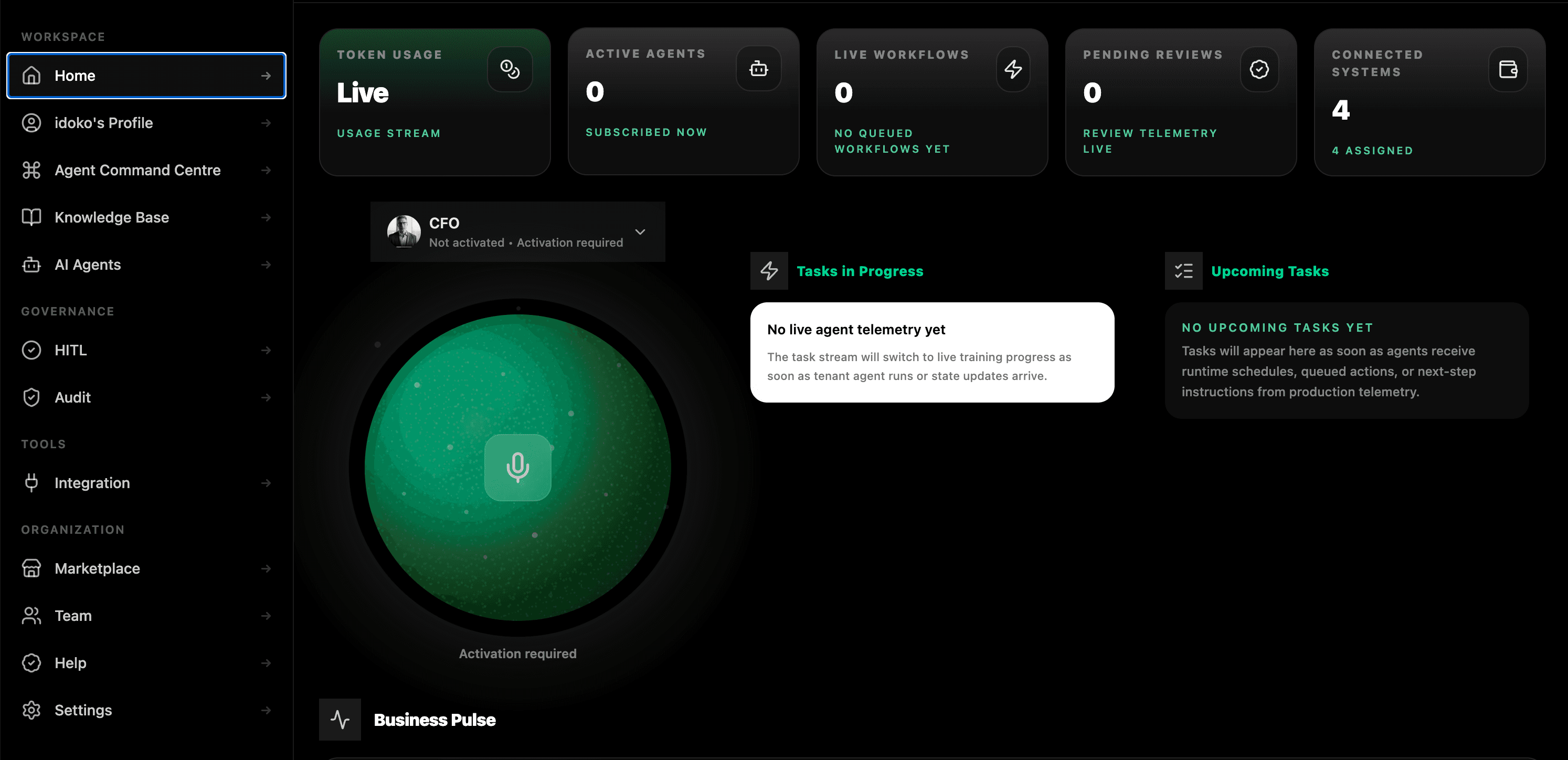
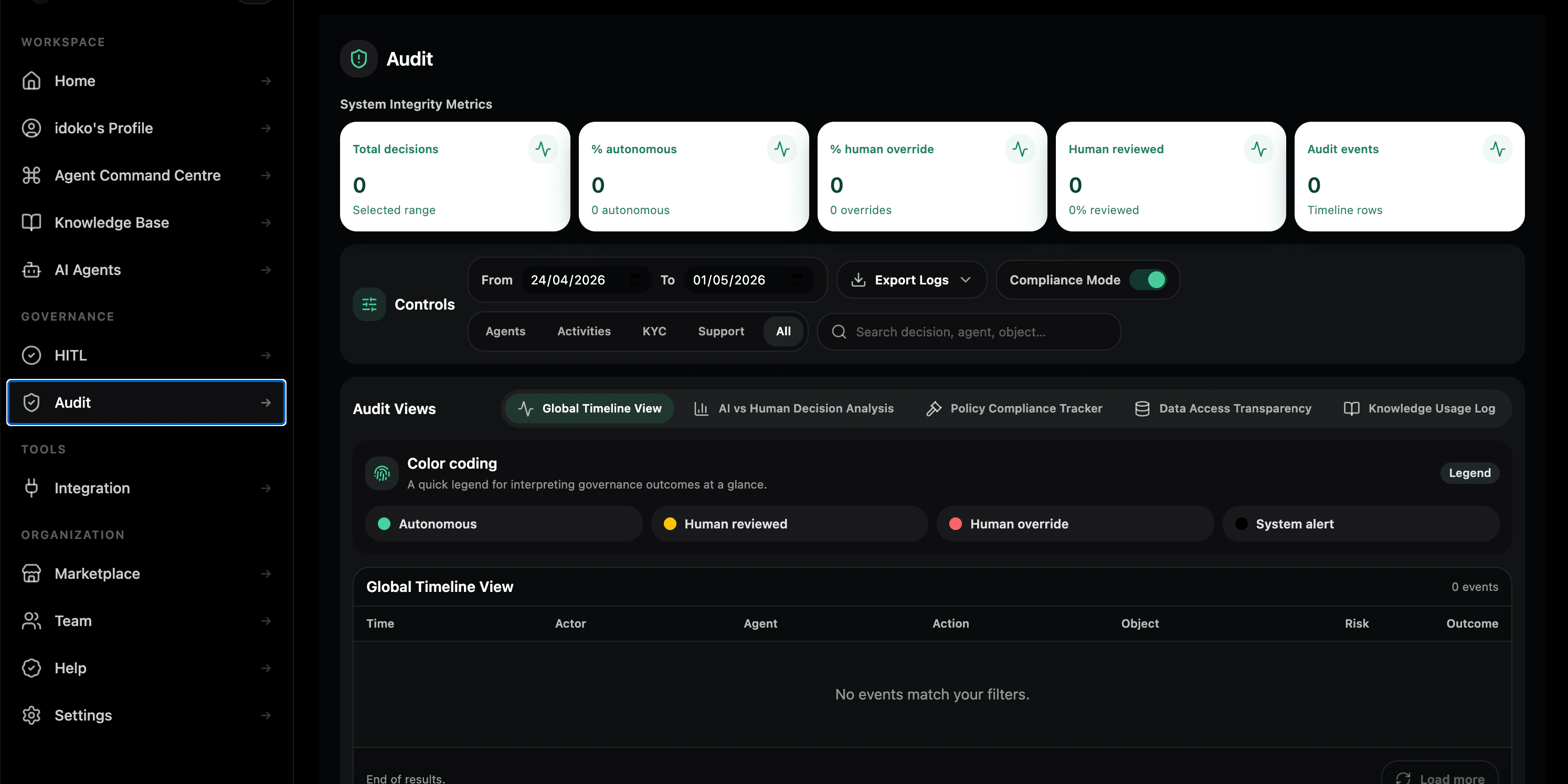
Day one, week two, month three.
One person spins up a Workspace, activates a pre-trained agent, and embeds it on a website or in Slack. No procurement loop, no integration project, no separate vector store to operate.
A second person builds a custom agent in the chat builder. Approvals route to the right humans automatically, and the audit trail starts answering who did what, when, and why.
A team owns a fleet of agents. Each one has its own permissions, training data, and approval policy. Compliance can search every action across every agent in a single query while engineering plugs agents into the product via API.
Why an agent platform — not just an LLM.
Most teams can get a chatbot running. Fewer can turn it into governed business execution without adding their own data layer, connector framework, approval system, and audit infrastructure.
A workspace, a knowledge layer, a governance rail, a runtime.
Pryme Intelligence separates four concerns most teams otherwise cobble together: Tenant Context defines who you are and what you can see. The Knowledge Layer keeps your business data indexed, scoped, and fresh. The Governance Rail applies permissions, approvals, policy enforcement, and audit. The Runtime coordinates the model and the tools the agent actually calls. Building any one of those well is a project. Building all four — and the wiring between them — is a year. Pryme Intelligence ships them together so your team builds agents, not infrastructure.
Who it’s for
Business teams that need agents working in days, not quarters — without a developer in the loop.
Regulated enterprises that can’t ship AI without permissions, approvals, and an immutable trail.
Developers and builders that want a multi-tenant agent platform out of the box, with a real API and governance underneath.
See it on your own data.
Bring a real workflow. For supported use cases, we'll show you what a governed Pryme Intelligence agent looks like running it in under thirty minutes.
FAQ
Do I need to be technical to build an agent?
No. The Chat-Based Agent Builder is designed for operators. You describe the work in plain English and Pryme Intelligence handles the configuration. Engineers can step in for advanced workflows, but they are not required.
How fast is fast?
For supported workflows and standard connectors, Pryme Intelligence can generate an agent skeleton in minutes. A custom agent connected to one or two systems can have a working version in under thirty minutes, while production readiness depends on connected systems, approval rules, data quality, security review, and deployment surface.
Where does my data live?
Inside your Workspace, isolated per tenant and encrypted in transit and at rest. Region-scoped deployment options are handled as part of the security review for your environment.
Can Pryme Intelligence connect to my custom systems?
Yes. Pryme Intelligence connects through pre-built integrations, your own APIs and webhooks, and the connector SDK. The same governance rail applies to custom systems as to the public connector catalog.
What happens if an agent does something I don’t want it to do?
Three layers stop it: permissions limit what the agent can reach, approvals gate sensitive actions before they happen, and the audit trail makes every instruction, action, and outcome visible and reviewable.