Solutions · Reporting & Analytics
Answer faster.Define once.
Defend every number to the exec who asks.
Pryme Intelligence gives analytics teams governed AI agents for ad-hoc queries, dashboard QA, metric definition, board-pack drafting, anomaly investigation, and self-serve question routing — wired to your warehouse and your BI tool, with lineage and approvals built in.
Source → Define → Distribute → Defend.
The four-pillar pattern Pryme Intelligence applies to every Reporting & Analytics workflow: source the data, define the metric, distribute the answer, and defend every number with lineage.
Source
Point Pryme Intelligence at your warehouse, BI tool, metric layer, source systems, and governance tooling. Pryme Intelligence indexes schema, dashboards, definitions, and lineage without asking your team to stand up a second semantic store.
Define
Pryme Intelligence reads your metric layer, surfaces definition drift before it erodes trust, and drafts changes with the rationale and impact analysis already attached for analytics-lead approval.
Distribute
Answers land where decisions happen — Slack, Teams, email, board packs, or the BI tool itself. Pryme Intelligence routes easy questions to the right source and escalates the ones that still need analyst judgment.
Defend
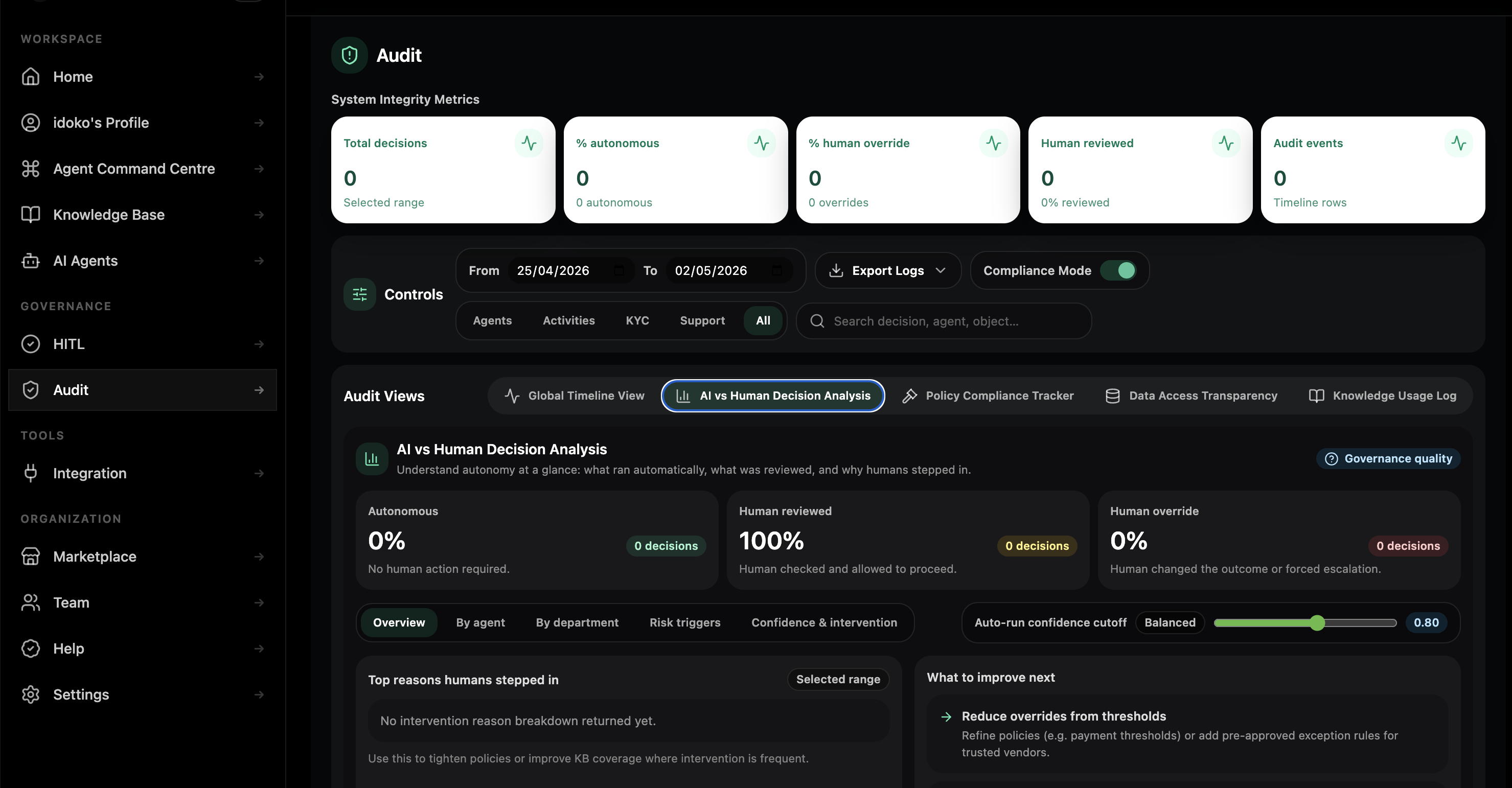
Every read, draft, publish, approval, and escalation is logged with the query, the data, the reasoning, the approver, and the lineage so Internal Audit and governance can sample the same trail directly.
What it looks like running on your data stack.
The same Workspace carries every analytics agent from setup, through pilot, to governed execution across your warehouse, BI tool, and the channels where business users actually ask questions.
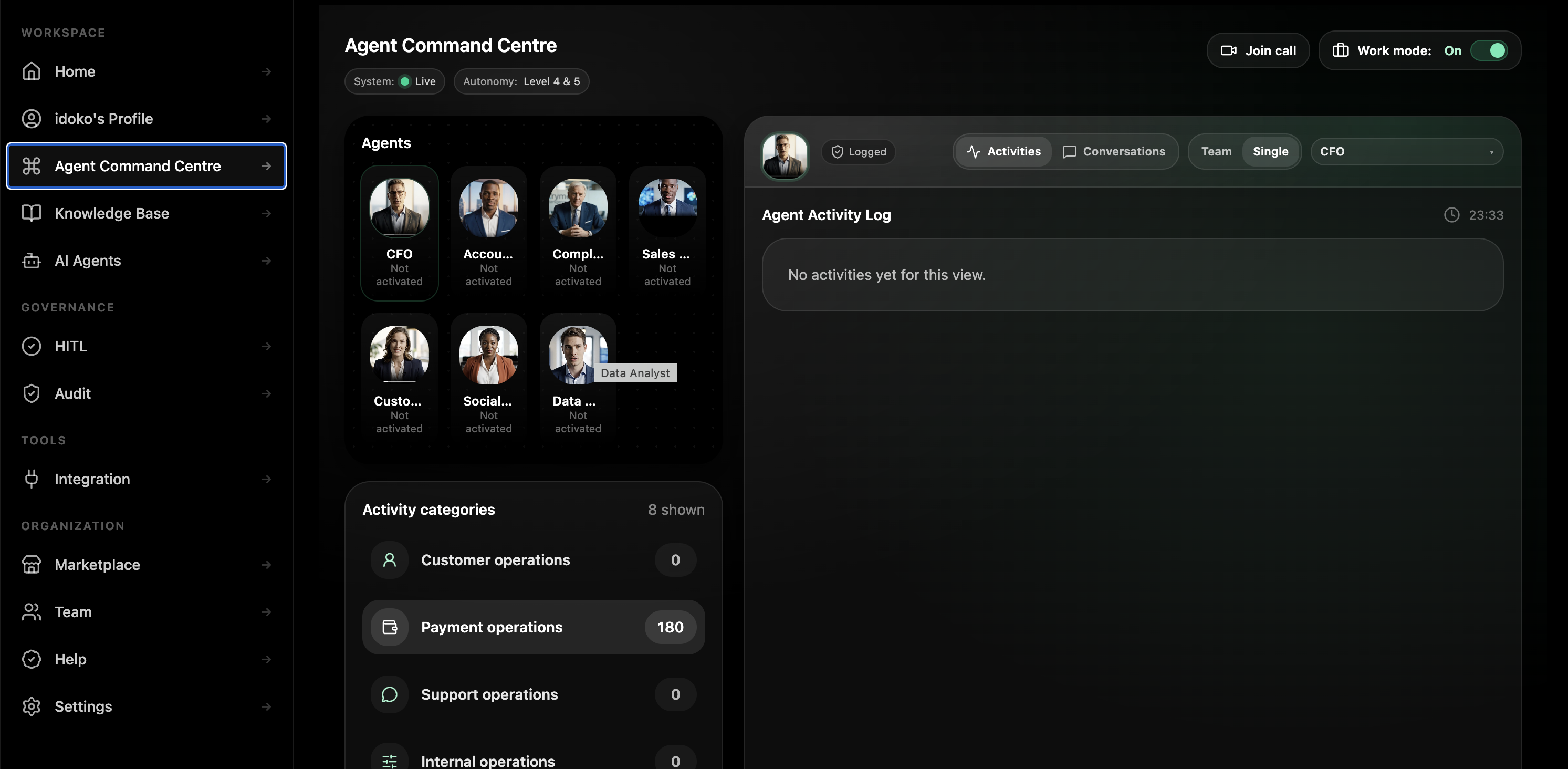
Two pre-trained agents. Five blueprints ready to deploy. Two with enterprise setup.
Two agents come pre-trained and activate on your Workspace in minutes. Five blueprints ship as chat-builder starting points ready for your data the same day. Two complex programmes ship with the solutions team alongside you.

Data Analyst Agent
Acts as a senior data analyst. Reads the metric layer, writes SQL, runs queries, surfaces anomalies, and answers with a citation instead of a guess.
- Answers business questions with the query, the result, and the dashboard or metric citation attached.
- Writes SQL against your warehouse under your existing access policies.
- Drafts the explanation behind the number before the analyst opens a second tab.
BI Analyst Agent
Owns dashboard health. Detects drift, broken queries, freshness gaps, and anomalous swings, then notifies the owner with the diagnosis instead of just the alert.
- Flags stale or broken dashboards before executives complain in the meeting.
- Identifies freshness gaps and metric mismatches with the affected owner attached.
- Surfaces remediation steps and pushes the right issue to the right analyst or engineer.
Day one, week two, quarter end.
Day one
A Head of BI spins up a Workspace, hires the Ad-hoc Query Triage Agent in one Slack channel, and watches overnight “can you pull X?” questions get answered before the stand-up starts.
Week two
The team adds the Dashboard QA Agent across the dashboard estate. Broken queries, drift, and stale data surface to the named owner before users complain.
Quarter end
Analytics owns a governed fleet across query triage, dashboard QA, metric definition, board-pack drafting, and anomaly investigation, each running under the same lineage and audit model.
Why an agent platform — not just another dashboard, a spreadsheet, or a Text2SQL chatbot.
Most analytics teams have already paid for at least one of the columns below. None solve the trust problem at the unit cost of an AI agent.
Lineage-defensible by design.
Pryme Intelligence separates the four concerns analytics teams otherwise cobble together — tenant context, knowledge layer, governance rail, and runtime — so the team builds answers, not another infrastructure project.
Tenant isolation per Workspace with region-scoped deployment options across UK, EU, and US requirements
SSO, SCIM, and access policies inherited from your warehouse and BI tool, including row and column security
Approval engine mapped to your metric-definition ownership and production publish model
Immutable, queryable, exportable audit trail structured to map to your data catalogue and lineage review process
Built for the analytics leaders who have to defend the answer.
Chief Data Officer / VP Analytics
You need a team that ships answers, not just dashboards. Pryme Intelligence gives your analytics org an answer-delivery layer without rewriting the metric system that already took two years to get right.
Head of BI / Analytics engineering lead
You need fewer tickets, less drift, and more time on the data-product work that matters. Pryme Intelligence runs the queue and surfaces the cases that still need your judgment.
Head of FP&A
You need the board pack drafted before the post-close week disappears, so your team spends time interpreting numbers rather than assembling them three times.
Internal audit and data governance
You need AI adoption across the data layer to add lineage and attribution rather than new blind spots in controls, ownership, and sampling.
What changes in the first quarter.
Targets below are typical for analytics teams in the first 90 days. Bring a real queue to a 30-minute walkthrough and Pryme Intelligence can model the lift on your own data.
Bring a real ad-hoc queue.We'll show you what Pryme Intelligence does with it.
Thirty minutes. One workflow you actually run. We’ll deploy a Pryme Intelligence analytics agent on it live and walk through the lineage and audit trail it produces.
Questions analytics leaders ask first.
Will an agent change a dashboard or metric definition without my BI lead’s approval?
No. Definition authority and dashboard publication authority are permissions you grant, not defaults. Analytics agents draft changes, but named BI or analytics-lead approval is required before anything publishes to production.
How does the audit trail satisfy data governance?
Every read, draft, approve, publish, and escalate action is recorded with the data, the prompts, the model output, the approver, the timestamp, and the affected system. The trail is queryable and structured to map to your existing data catalogue.
What happens when a business user asks something the agent doesn’t know?
It escalates with context. Pryme Intelligence is configured to surface uncertainty rather than guess, routing the question to the named analyst on duty with the gathered context and the recommended next step attached.
Where does our data go for the agent to use it?
Inside your Pryme Intelligence Workspace, isolated per tenant and encrypted in transit and at rest. Agents read from your warehouse and BI tool through your existing access policies rather than copying data into a separate unmanaged store.
Does Pryme Intelligence connect to our warehouse and BI tool?
Yes. The platform is designed to sit above the systems analytics already uses — warehouses, BI tools, metric layers, lineage tools, and custom APIs — with the same governance rail applied across them.
Can the agent write SQL, or just read dashboards?
Both. The Data Analyst Agent can write SQL against your warehouse under your existing access policies and return the answer with the query attached, while the BI Analyst Agent reads dashboards directly.
Can we pilot one workflow first?
Yes. Most teams start with a bounded workflow like Ad-hoc Query Triage or Dashboard QA, then add more agents into the same Workspace once the first one is live.