Build a working AI agent in plain chat
Open the Pryme Intelligence dev console and describe what you need in a conversation that feels like WhatsApp. Pryme Intelligence picks the role, sets permissions, pulls a template from your industry, and ships a working agent skeleton in under five minutes.
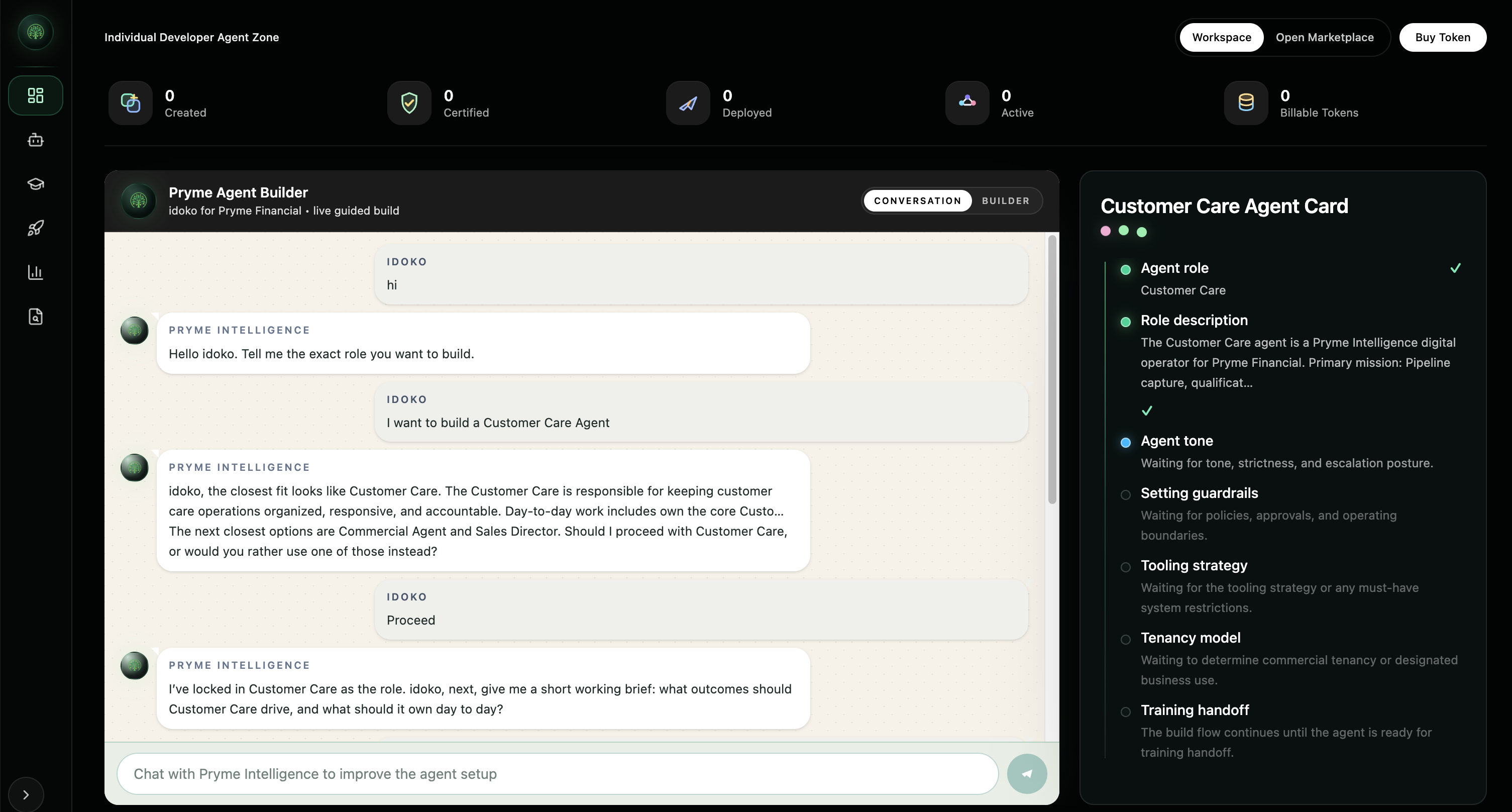
Three steps. No engineering required.
Describe
Open the chat. Describe the agent's role, the workflow it should run, and the tools it should access. In plain English.
Configure
Pryme Intelligence picks an industry-relevant template, sets sensible defaults for permissions and policy, and assembles the agent's task structure.
Test & Deploy
Test the agent in the same chat. Once you're happy, deploy to web, WhatsApp, email, or your Workspace API — same console, same conversation.
We replaced drag-and-drop with a conversation.
Most AI agent platforms make you draw flowcharts, configure node trees, or write JSON schemas. We made the agent builder feel like the product it builds — a conversation.
Builders shouldn't need a separate product to build the product.
Anything from a single-task agent to a full-team workflow.
From builder to production — without leaving the Workspace.
The agent you just built lives inside your Pryme Intelligence Workspace. From the same console, you can train it on your data, deploy it across channels, and monitor every action it takes.
Connected to your data
Documents, APIs, CRM, ledgers — connect once, available to every agent.
Permissioned by default
RBAC and policy controls inherited from your Workspace.
Audit-ready from day one
Every action the agent takes is logged before deployment, not after.
Build your first agent in chat.
Create a Workspace and try the builder yourself, or book a demo to see it run.