Solutions · Operations
Catch the gaps.Run the runbooks.
Operations that scale without scaling the rota.
Pryme Intelligence gives operations teams governed AI agents that detect the cross-system handoffs that drop, run the runbooks the team already documented, coordinate the incidents the rota dreads, and defend every action they take — wired to the work-management, ticketing, and incident systems you already run.
Run → Catch → Resolve → Document.
The four-pillar pattern Pryme Intelligence applies to every Operations workflow: run the documented process, catch what fell through it, resolve with the right humans in the loop, and leave the evidence behind.
Run
Pryme Intelligence runs the runbooks your team already documented. Read-only steps execute automatically, while every action step pauses for the named approver in your delegation of authority.
Catch
The Handoff Reconciler Agent continuously checks cross-system handoffs — order versus fulfillment, invoice versus payment, ticket versus CRM status — and surfaces what dropped within minutes.
Resolve
When an incident lands, Pryme Intelligence coordinates the war room, pages the right people, drafts the running brief, and recommends fix steps from your runbook while leaving consequential actions in human hands.
Document
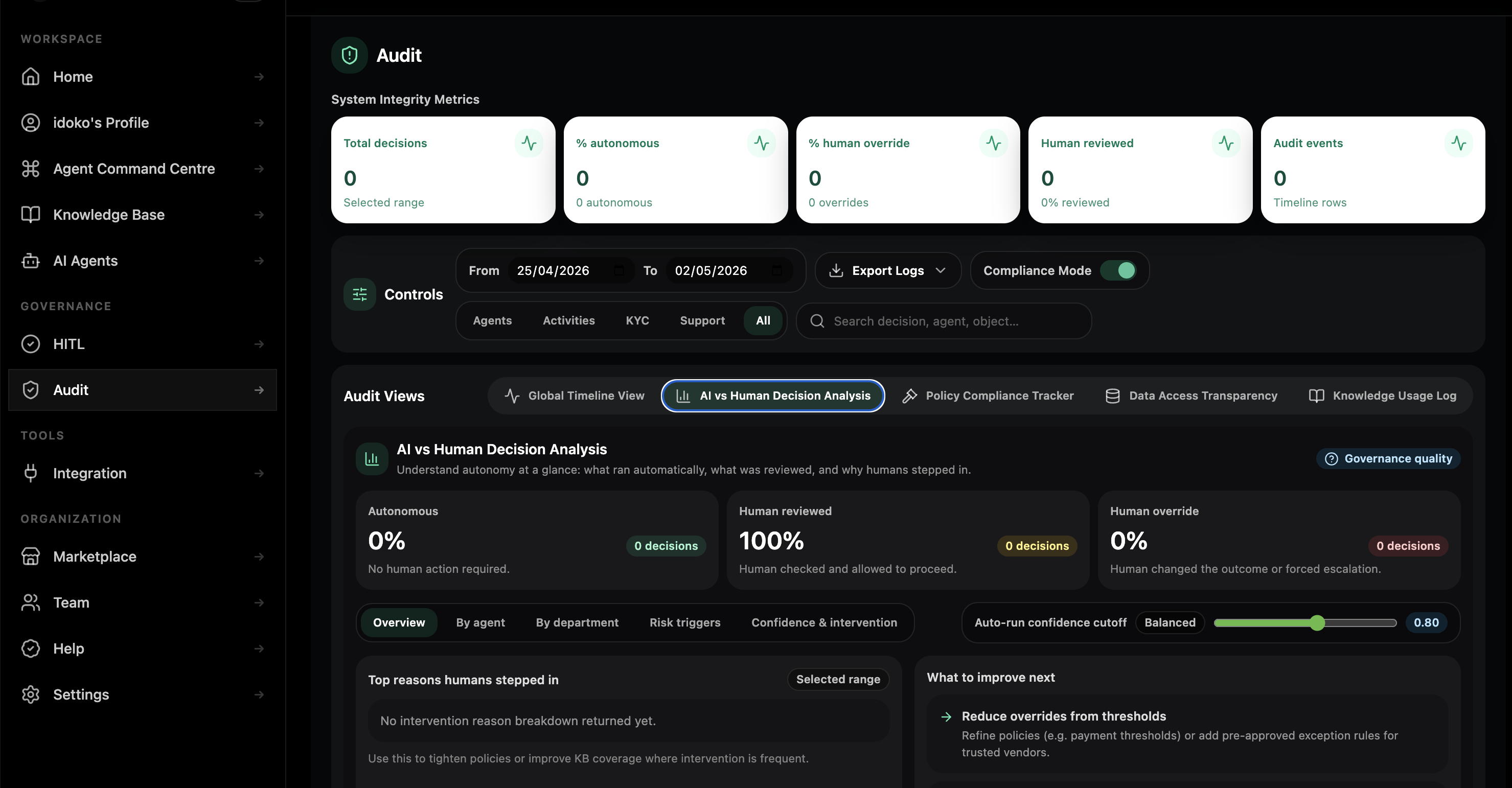
Every read, draft, execute, approve, and escalation is recorded in an immutable log with the data used, the reasoning, the approver, and the system of record affected.
What it looks like running on your operations stack.
The same Workspace carries every operations agent from setup, through pilot, to governed execution across work management, ticketing, incident response, and the cross-functional processes that do not fit any single tool.
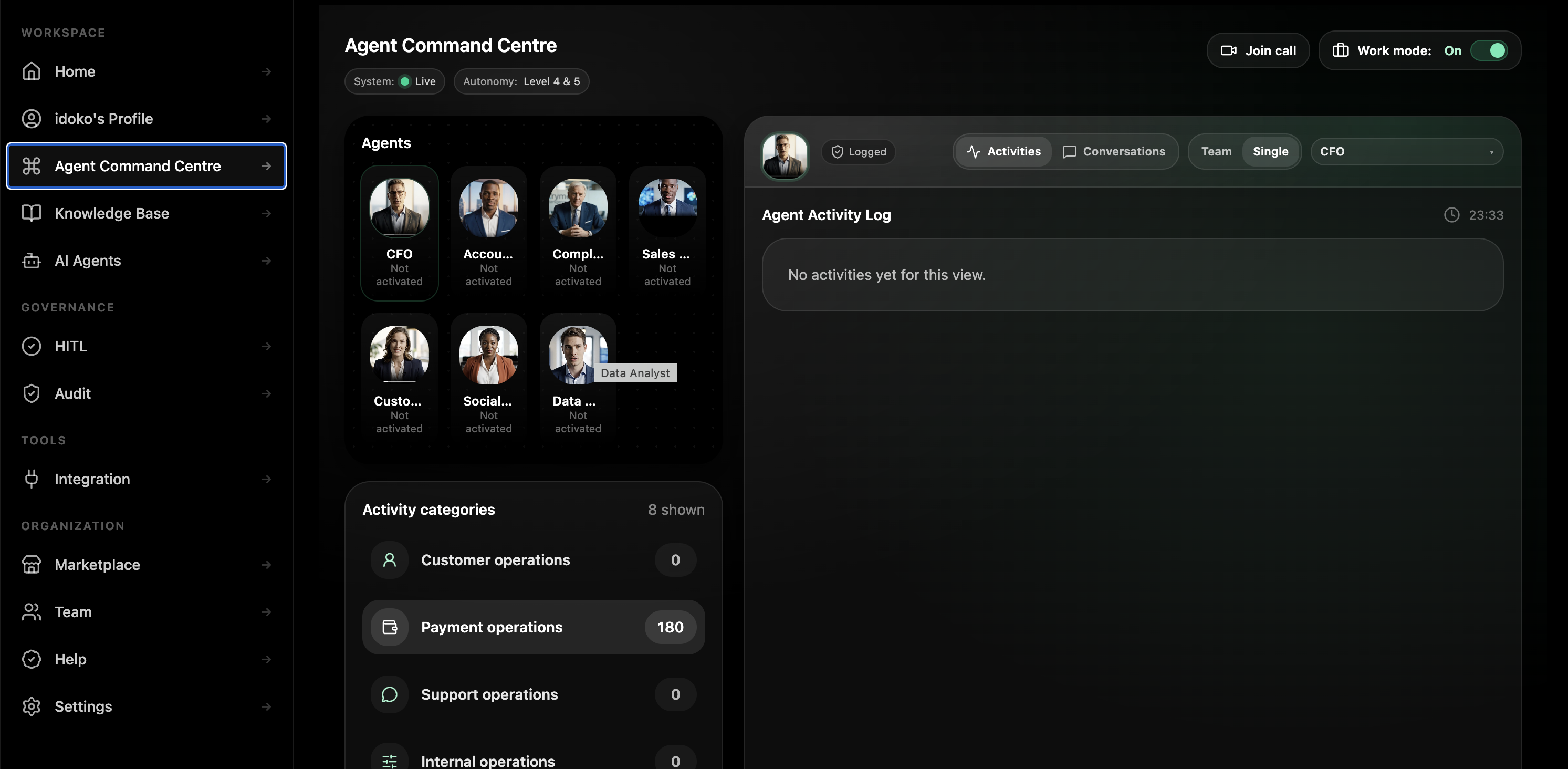
Two pre-trained agents. Five blueprints ready to deploy. Two with enterprise setup.
Two agents come pre-trained and activate on your Workspace in minutes. Five blueprints ship as chat-builder starting points, ready to deploy on your data the same day. Procurement and operational continuity ship with the solutions team alongside you.
Operations Manager Agent
Acts as a senior business operations manager. Orchestrates cross-functional processes, chases status, runs runbooks end-to-end with human approval at sensitive steps, and drafts the Monday-morning ops summary.
- Runs the documented process across Jira, ServiceNow, Asana, Slack, and the CRM instead of waiting for someone to notice a handoff slipped.
- Pauses at every consequential step, attaches the context, requests approval, and then continues cleanly after sign-off.
- Drafts the daily and weekly operational summary from the same live execution trail the team already worked in.
Incident Coordinator Agent
Acts as the on-duty incident coordinator. Spins up the war room, pages the right humans, drafts the comms, tracks the timeline, and writes the post-incident review draft.
- Drafts the running incident brief with customer impact, current state, owner, next step, and the signals gathered so far.
- Routes customer-facing comms and status-page changes to the named approver instead of letting the incident channel improvise the wording.
- Leaves the team with the post-incident review draft already assembled from the timeline it tracked during the event.
Day one, week two, quarter end.
What adoption looks like when one real handoff becomes a governed operations fleet spanning runbooks, incident coordination, and the audit trail around them.
Day one
A Head of BizOps spins up a Workspace, hires the Handoff Reconciler Agent on one leaky handoff, and sees what dropped overnight before the morning stand-up starts.
Week two
The team adds the Runbook Executor Agent on the most frequently used SOP. The first approval thresholds are set and the runbook finally stops being out of date on the wiki.
Quarter end
Operations owns a governed fleet across handoff reconciliation, runbook execution, incident coordination, capacity forecasting, and vendor review, with the COO finally able to defend the on-call load and process coverage from one trail.
Why an agent platform — not a six-figure BPM licence, a spreadsheet, or another chatbot.
Most operations teams have already paid for at least one of the alternatives below. Pryme Intelligence’s advantage is that the same Workspace can run the business processes nobody else in the stack truly owns.
| Capability | Pryme Intelligence | BPM / RPA platforms | Spreadsheets + ops team + Slack | Generic AI chatbot |
|---|---|---|---|---|
| Setup time | Days | Months to a year per process | Weeks to never | Hours |
| Adapts to a process change | Update the agent in chat in minutes | BPMN remodelling cycle | Update the runbook, maybe | No concept of process |
| Handles unexpected exceptions | Routes with context and recommends next step | Halts on the unexpected | Escalation by Slack | Hallucinates an answer |
| Cross-system orchestration | Connects to your existing systems with no migration | Heavy integration project | Manual copy-paste | None |
| Approvals on sensitive actions | Built-in policy engine with named approvers | Hard-coded per workflow | Manual sign-off | None |
| New automation | Described in plain English in the chat builder | Engineering or centre-of-excellence ticket | Hire more people | No |
| Audit trail of decisions | Immutable, exportable, queryable | Per-platform logs | Spreadsheet history | None |
| Same platform as your finance, compliance, and support agents | Yes — one Workspace | No — single-purpose platform | No | No |
| Cost shape | Subscription + usage | Six-figure platform licence plus integration and dev team | Headcount | Per-seat |
On-call-defensible by design.
Pryme Intelligence ships the operational architecture teams usually cobble together in pieces: tenant isolation, a knowledge layer across processes and runbooks, a governance rail for change and communications, and a runtime that logs every action and approver.
Built for the operations leaders who own the cracks between teams.
COO / VP Operations
You need an operations function that scales with the company without scaling the on-call rota. Pryme Intelligence gives you the operational execution layer without another six-figure BPM platform and its centre of excellence overhead.
Head of Business Operations / BizOps
You need fewer things falling through the cracks, fewer runbooks aging on the wiki, and fewer incidents where the first hour is spent figuring out who owns the problem.
Process Owner / Operations Manager
You need the routine work — status updates, runbook execution, exception detection — to stop eating the team’s week. Pryme Intelligence does the repetitive work, your team approves the consequential steps, and deviations stay visible.
CIO / Head of Enterprise Apps
You need to know AI across operational systems does not become another silo or duplicate what your integration tools already do. Pryme Intelligence adds an agent layer above the systems you already run, not beside them.
What changes in the first quarter.
Targets below are typical for operations teams in the first 90 days. Your numbers depend on starting state, handoff leakiness, and runbook maturity — bring a real process and we’ll model the lift on your data.
| Metric | Today (typical) | With Pryme Intelligence (target) |
|---|---|---|
| Time to detect a dropped handoff | Days, often customer-reported | Minutes, agent-detected |
| Incident coordination overhead | 30–50% of incident clock | 60–80% lower |
| Runbook execution coverage | Patchy and person-dependent | Same execution every time, with deviations logged |
| Vendor SLA visibility | Quarterly review | Continuous, with renewal risk surfaced early |
| Capacity forecast cycle | One week, last-minute | Continuous, refreshed daily |
| On-call pages per week | Mostly noise | Mostly real incidents |
| Cross-team status visibility | Slack archaeology | Single ops summary generated daily |
Bring a real runbook.We'll show you what Pryme Intelligence does with it.
Thirty minutes. One process you actually run. We’ll deploy a Pryme Intelligence agent on it live and walk through the audit trail it produces.
Questions operations leaders ask first.
Can a Pryme Intelligence agent execute a production change or send customer comms without my supervisor’s approval?
No. Production-change authority, vendor-commit authority, and customer-comms authority are permissions you grant, not defaults. Read-only steps can execute automatically, but every action step routes through the named approver chain you already run.
How does the audit trail satisfy Internal Audit and SOC 2?
Every agent action — read, draft, execute, request approval, escalate — is recorded with the data, the model output, the approver, the timestamp, and the affected system of record. The log is queryable directly, exportable to your evidence vault, and structured to map to your controls framework.
What happens when a process exception falls outside the runbook?
It escalates with context. When systems disagree or the documented next step does not fit the current state, the agent stops, attaches the source data and its reasoning, and routes the case to the named human in your escalation policy.
Where does our process data live?
Inside your Pryme Intelligence Workspace, isolated per tenant and encrypted in transit and at rest. Agents read through your existing system permissions and do not train shared models on your operational data.
Does Pryme Intelligence integrate with our existing process platforms?
Yes. The platform is designed to sit above Jira, ServiceNow, Asana, Monday, Linear, Smartsheet, PagerDuty, Opsgenie, Incident.io, Slack, Teams, and the CRM, ERP, billing, and HRIS layers they orchestrate across.
Can the agent handle multi-system orchestration like sales to fulfillment to finance?
Yes. Multi-system orchestration is one of the core units of work for this product surface. The Handoff Reconciler Agent reconciles the systems involved, and the Operations Manager Agent coordinates the remediation with the right approvals at the right points.
How is this different from UiPath, Pega, Appian, or Microsoft Power Automate?
You describe the agent in plain English in the chat builder instead of modelling BPMN diagrams or writing scripts. Agents handle the unexpected by escalating with context instead of halting on an exception, and the same Workspace runs the agents your finance, compliance, and support teams already use.